Protecting Your TTS Credits and Polishing Your Audio: Content Scoring and Text Normalization
Raw text makes awkward audio; public endpoints invite abuse. Here is how TTS2Go's content scoring and text normalization fix both without adding overhead.
Building self-serve TTS into a website quietly runs into two problems that have very little to do with voices, models, or APIs. The first is that raw text rarely sounds the way you want it to come out of a speaker. The second is that the moment you put a TTS endpoint on a public page, strangers can hit it. TTS2Go addresses both with two dedicated systems: a text normalization pipeline that rewrites awkward input before synthesis, and an AI content scoring layer that auto-approves only requests that actually belong on your site. This post walks through both, why they exist, and why the combination matters.
Why Self-Serve TTS Is Genuinely Hard
A browser SDK needs to know which project it belongs to, and that identifier lives in code users can inspect. You can lock it down with domain allowlists and rate limits, but the identifier is not a secret. If someone finds the endpoint, they can send requests. Every one of those requests could consume your provider credits if it reaches synthesis.
The instinct is to require a human to approve each request before generation. That is correct — and it is what TTS2Go does out of the box. It is also a job that grows faster than the team doing it. By the time you have real traffic, manual approval is a full-time interruption.
On the quality side, TTS providers disagree on how to pronounce common patterns. A date like "2026-04-21" might come out as "April twenty-first, twenty twenty-six" on one engine and "twenty twenty-six dash oh four dash twenty-one" on another. Currency, times, abbreviations, and large numbers all behave unpredictably. Your writers do not control provider internals, and your provider does not know about your content.
The Baseline: Manual Approval
Every TTS2Go project starts with manual approval. When the SDK fires a generation request, it lands in a dashboard queue. You review it, approve or reject it, and only approved requests consume credits. This is the safe default and it works — teams who care about every piece of audio that goes out in their voice get full control.
It is also slow. With enough traffic it becomes the kind of workflow you start wishing you could hand to a machine.
AI Content Scoring: A Bouncer for Your Endpoint
AI content scoring is that machine. For each project you configure a short content profile: a description of what your site is about, its type, its language, and a few example snippets. When a generation request comes in, TTS2Go sends the request text and the profile to a language model, which returns a score from one to ten with a short reason.
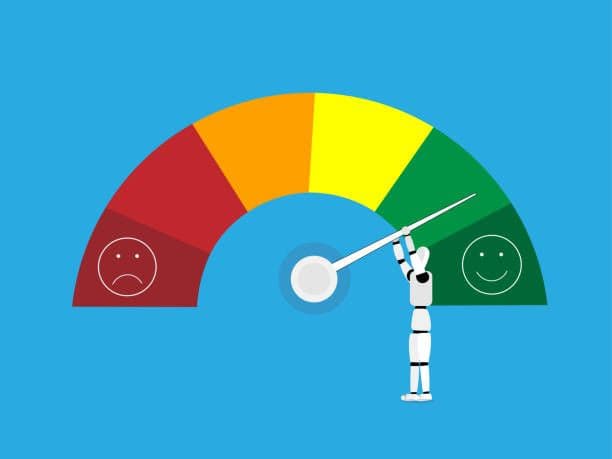
You pick a threshold. Requests at or above that threshold get auto-approved and sent to synthesis. Requests below can either fall back to the manual queue or be rejected outright, depending on what makes sense for your site. The scale is not binary — the steps range from "spam or abuse" at the bottom through "loosely related", "plausible match", "good match", and up to "perfect match" at the top. You can be as strict or permissive as the content mix warrants.
The effect is that random strangers who find your endpoint and try to generate unrelated text get a low score and never reach synthesis. Legitimate content from your own pages scores high and is narrated without your intervention. You only look at the middle band, and only when you want to.
Scoring runs against the original text rather than the normalized version, because scoring is about content appropriateness, not about how the audio will ultimately sound.
Text Normalization: An Editor Before the Microphone
Once content is approved for generation, the next question is how it will sound. TTS2Go runs every approved request through a rules-based normalization pipeline before it reaches the provider. The pipeline rewrites the parts of raw text that providers handle inconsistently: integers and decimals, dates and times, currency in several formats, percentages, Roman numerals, and common abbreviations like "Dr.", "Mr.", and "etc."
"The invoice of $1,234.56 is due on 2026-04-21" becomes "The invoice of one thousand two hundred thirty-four dollars and fifty-six cents is due on April twenty-first, twenty twenty-six." "Chapter IV has 5 sections" becomes "Chapter four has five sections." Every transformation is deterministic, has a corresponding unit test, and costs nothing at runtime — this is all local processing, no extra API call on the synthesis path.
Rules-based is a deliberate choice over another AI layer. Rules are predictable: you can reproduce them, explain them, and diff them. If a user hears something strange, you can find out exactly why and fix the specific rule that produced it. Audio is a performance, and performances need a repeatable script.
Why Both Matter Together
The two systems work at opposite ends of the pipeline. Scoring decides what reaches synthesis. Normalization decides how it sounds. One guards your budget, the other guards your output quality. Remove scoring and your credits are exposed; remove normalization and your audio is inconsistent. Together they turn a TTS integration from a project that needs a content moderator and a linguist into a line of SDK code.
Try It in the Dashboard
Both systems have live demos in the dashboard sidebar. The AI Content Scoring page lets you paste sample text and see the exact score, reason, and auto-approve verdict against any of your projects' content profiles. The Speech Formatting page has a Try-It box that shows the normalized version of anything you type, side by side with before-and-after examples. Both are rate-limited, neither costs credits, and each reflects exactly what production does when a real request arrives.
If you already have a TTS2Go project, open the dashboard and try them both. If you are starting out, create a project, drop the React SDK onto a page, and let the manual queue catch the first handful of requests — you will see the full pipeline in action end to end.